
Your one stop destination for all your Computer needs!
Browse All Categories
- Home
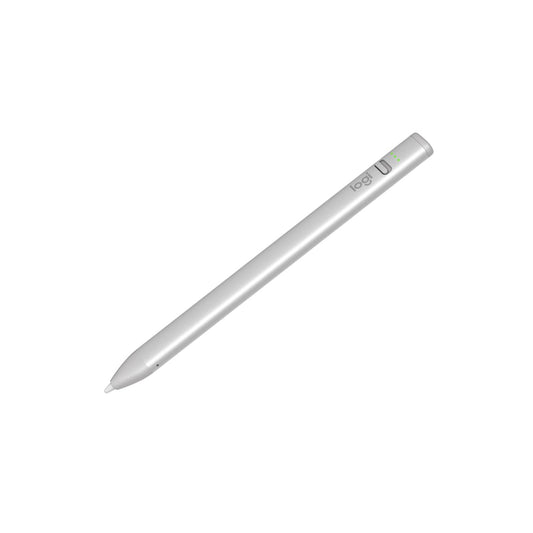
- LOGITECH Crayon USB-C iPad Pencil (914-000073) ( Silver )
Description
Features of LOGITECH Crayon USB-C iPad Pencil (914-000073) ( Silver )
Add flair to your flow
Sketch, write and annotate with Logitech Crayon for iPad, powered by Apple Pencil technology.
Powered by Apple Pencil technology
Uses Apple Pencil technology so you can write and draw naturally without fear of missing a single line or detail thanks to pixel-perfect precision and imperceptible lag.
Just turn on and write
Simply slide the off/on button down and start writing right away — it’s that easy. Logitech Crayon connects to iPad instantly with no complex Bluetooth pairing or other delays.
The perfect line every time
Need a thicker or thinner line? Just tilt. Logitech Crayon has a smart tip which dynamically adjusts line weight as you naturally write—just like a regular pencil.
Welcome to USB-C
Say goodbye to cable confusion. Logitech Crayon uses the same USB-C cable as iPad Pro, iPad Air, and iPad (10th generation) for quick, reliable charging.
Palm rejection technology
Go right ahead and rest your palm on the screen while you write—iPad supports palm rejection for natural hand placement. Now you can stop worrying about your hands and focus on writing, sketching, and, of course, doodling.
Battery life that lasts
Logitech Crayon gives up to 7 hours of writing time on a single charge and shuts off automatically after 30 minutes of idle time to save battery. If you’re low, no worries—a 2 min charging boost provides 30 min of writing time.
Green means go
Battery indicator lights tell you when your power is running low so you’re never caught off guard right when you need to make an important doodle
Shaped to stay put
The unique design of Logitech Crayon isn’t just for show—it’s built for durability. The flat shape stays exactly where you leave it and prevents it from rolling off desks or getting lost underneath shelves.
Just flip the switch
Always know whether your device is active or not - just slide the physical on/off button down and start writing instantly.
Solid construction
With no small or detachable pieces, Logitech Crayon has a unibody design that’s built to last. You can even feel confident handing it off to your kid for a quick doodle.
Durable design
Drop it, knock it, or toss in a bag—Logitech Crayon can take it. With 4-ft drop protection, Crayon can hold up to the busiest of lifestyles, and clumsiest of kids (or adults).
Specifications of LOGITECH Crayon USB-C iPad Pencil (914-000073) ( Silver )
| Model | 914-000073 |
| Product Type | Digital Pencil / Stylus |
| Height | 159 mm |
| Width | 12 mm |
| Depth | 8 mm |
| Weight | 20 g |
| Drop Protection | 4 ft (1.2 m) |
| Battery Type | Lithium Battery |
| Active Writing Time | Up to 7 hours |
| Charging | iPad USB-C Cable |
| Power On | Slide button down towards tip |
| Power Off | Slide button up towards charging port |
| Idle Mode | After 5 minutes of inactivity |
| LED Auto-Off | After 5 seconds |
| Tilt Sensitivity | Yes – Dynamic line weight |
| Palm Rejection | Yes |
| Tube Material | Aluminum |
| Tip Cover Material | PC + ABS |
| Warranty | 1-Year Limited Hardware Warranty |
| Part Number – Silver | 914-000073 |
| Battery Indicator | |
| Battery Level | LED Indicator |
| Above 66% | 3 Green LEDs |
| Above 33% | 2 Green LEDs |
| Above 15% | 1 Green LED |
| Below 15% | 1 Red Blinking LED |
| Charging Indicator | |
| Charge Level | LED Status |
| Up to 33% | 3 LEDs blink continuously |
| 33%–66% | 1 solid green + 2 blinking |
| 66%–99% | 2 solid green + 1 blinking |
| 1 | 3 solid green LEDs |
Reviews ( 0 )
Frequently asked questions
Related Products
Recently viewed products
Shopping cart
close
-
WHAT ARE YOU LOOKING FOR?Search
- Login / Register
- Home
- Custom PC Quote
- Our Stores
- PC Builds
-
Processor
- Intel Processor
- AMD Processor
- By Core Count
- By Integrated Graphics
-
Intel Generation
- Intel Core i3 14th Generation
- Intel Core i3 13th Generation
- Intel Core i3 12th Generation
- Intel Core i3 11th Generation
- Intel Core i3 10th Generation
- Intel Core i3 9th Generation
- Intel Core i5 14th Generation
- Intel Core i5 13th Generation
- Intel Core i5 12th Generation
- Intel Core i5 11th Generation
- Intel Core i5 10th Generation
- Intel Core i5 9th Generation
- Intel Core i7 14th Generation
- Intel Core i7 13th Generation
- Intel Core i7 12th Generation
- Intel Core i9 14th Generation
- Intel Core i9 13th Generation
- Intel Core i9 12th Generation
- AMD Generation
- Motherboard
- Graphic Card
- PC Cabinet
- CPU Cooler
- Power Supply Unit (PSU)
- RAM
- SSD
- Mousepad
- Monitor
- Peripherals
- Legal
- Wishlist (0)
- Compare (0)
- Contact Us
- Heading
